
Generating the Server Fingerprint File
The server fingerprint file identifies the server and is used to apply for a license. When installing a license, the server fingerprint must match the fingerprint bound to the license. Otherwise, authorization will fail.
Note:
- Starting with V2.0, licenses for services such as DJI FlightHub 2, Terra, and 4G must be bound to the same server.
- If licenses for a historical version are installed on different servers, contact DJI support to migrate the licenses before upgrading to V2.0.
Server Fingerprint File Generation Process
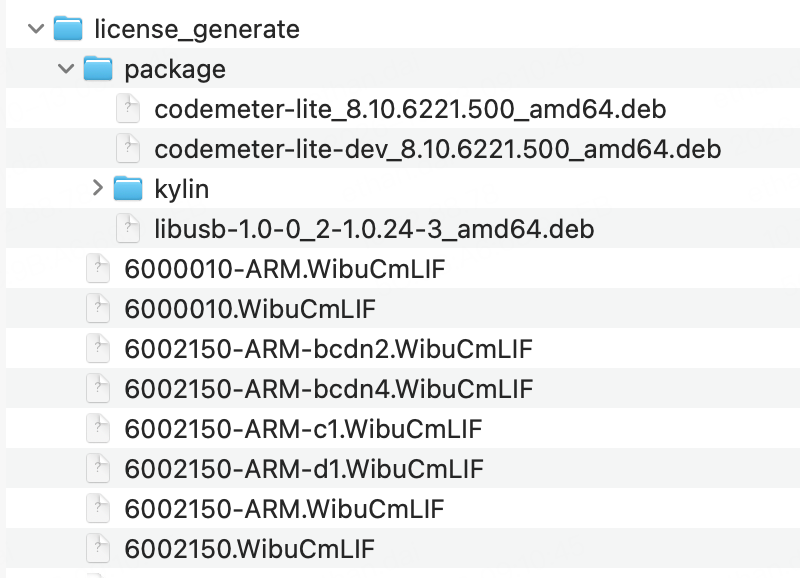
Download and extract the "Server Fingerprint File Generation Tool". The extracted directory structure is shown below.
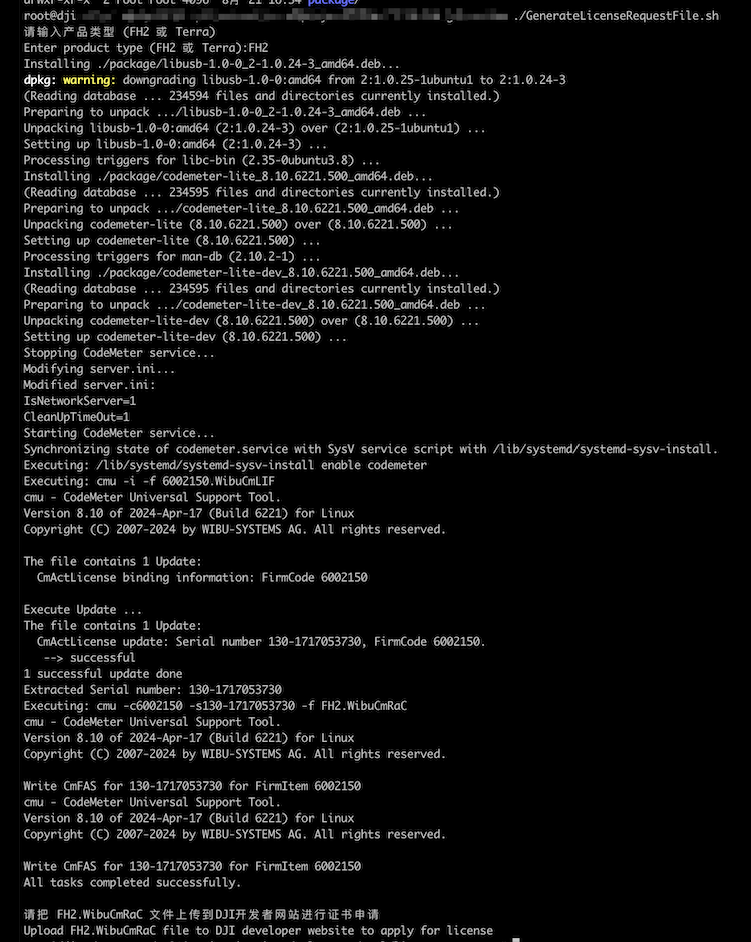
Run the following command in the extracted directory, and enter the service to deploy when prompted:
FH2,Terra, or4G../GenerateLicenseRequestFile.shResult:
Upload the generated fingerprint file (
flighthub2.WibuCmRaCorterra.WibuCmRaC) to the DJI Developer website to apply for a license and download the installation package. An upload example is shown below: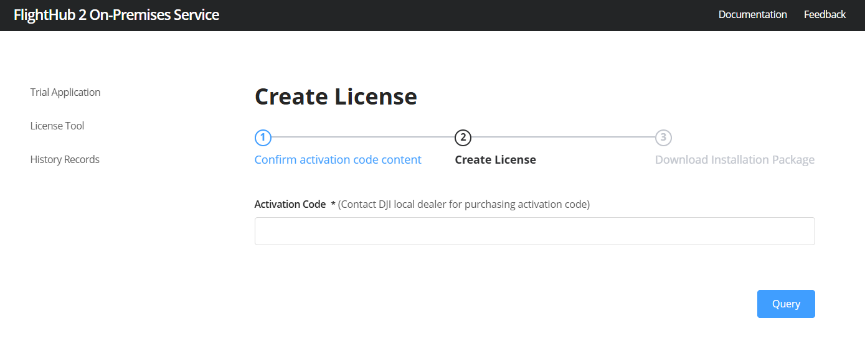
Notes:
- To deploy the Terra model reconstruction service, refer to the "Deploying On-Premises Terra Model Reconstruction Server" section.
- To deploy the 4G private enhanced transmission service, refer to the "4G Private Enhanced Transmission Service Deployment" section.