
Custom Map Services
Data Acquisition
Prepare an available map tile service as the data source and verify its coordinate accuracy to avoid map offsets.
Data Publishing - Visualized Operation
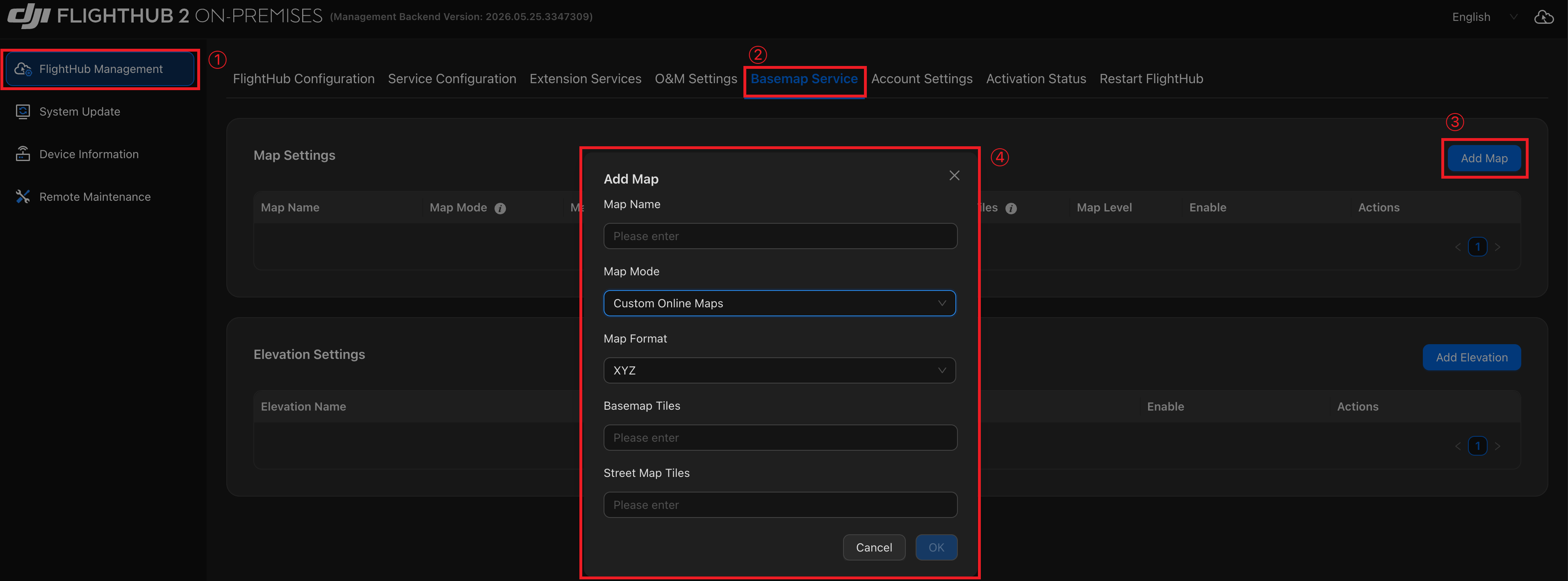
Log in to the Admin Console and follow these steps to configure the map service:
- Go to 「FlightHub Management」→「Basemap Service」→「Add Map」.
- Set 「Map Mode」 to "Custom Online Maps".
- Select the corresponding format in 「Map Format」.
- Enter the tile service URL and click 「OK」.
Tip: For instructions on logging in to the Admin Console, see "Accessing the AIO Admin Console".