
Activate FlightHub
When installing the On-Premises Version for the first time or deploying updates, you must complete activation and authentication first.
Note: The server time and date must be consistent with those on your mobile device. Otherwise, activation will fail.
Activation Process
- Use a mobile browser to access the "Remote Activation Service" and enter the real-name account registered on the DJI Developer website. Upon completion, the QR code scanning program starts on the mobile device.
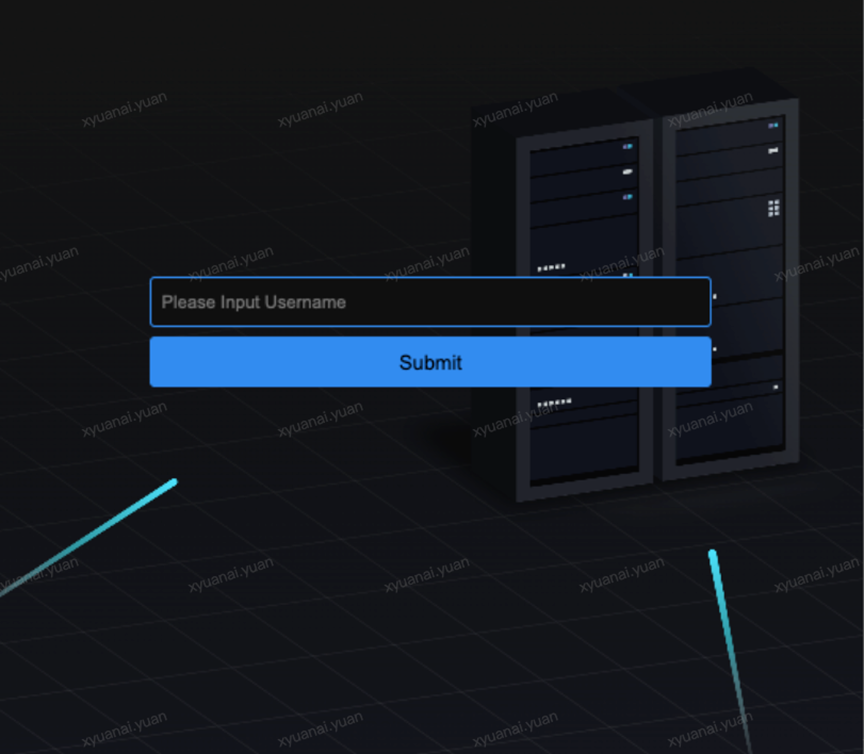
Note: Please log in with your DJI Developer account.
- Use a PC browser to access the FlightHub service. The QR code activation page is automatically displayed. Use the mobile QR code scanning program in Step 1 to scan the QR code on the PC to obtain a dynamic activation code.
Note: To access the FlightHub service, enter the address specified by "INTERNAL_IP" or "EXTERNAL_IP" in the PC browser.
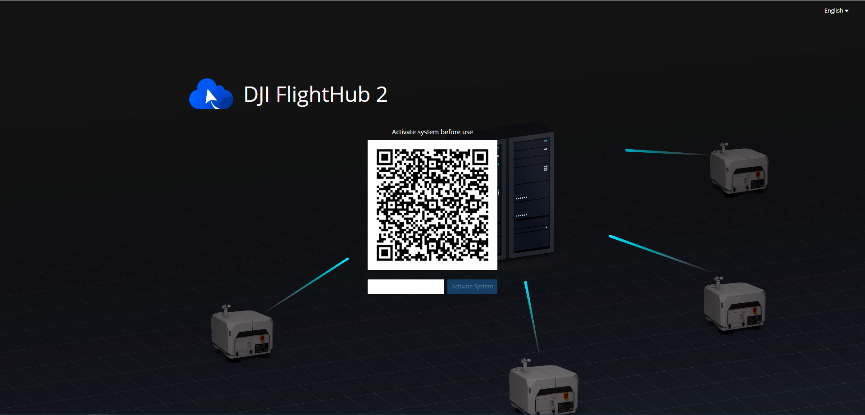
- Enter the dynamic activation code obtained on the activation page of the On-Premises service. After the activation is complete, you are automatically redirected to the login page.
Note: The dynamic activation code is valid for 1 minute. If activation failed, confirm again whether the server time and date are consistent with those on your mobile device.