
Upgrading FlightHub 2 On-Premises
Notes
This chapter applies only to upgrading V2.0 and later versions to a higher version. It does not apply to upgrading V1.7.1 and earlier versions to V2.0.
- To upgrade V1.7.1 and earlier versions to V2.0, see “Upgrading Historical Versions to V2.0”.
Pre-Upgrade Assessment
Before upgrading, assess your upgrade needs based on the following:
- System status: If the current services are running normally and you do not need new features, you can continue using the existing version.
- License validity: Confirm that the License is still within its upgrade service validity period. If it has expired, first upgrade the License as described in Increasing the Number of Simultaneously Online Devices / License Upgrade, then download the License and the installation package for the new version.
Upgrade Procedure
1. Log In to the Admin Console
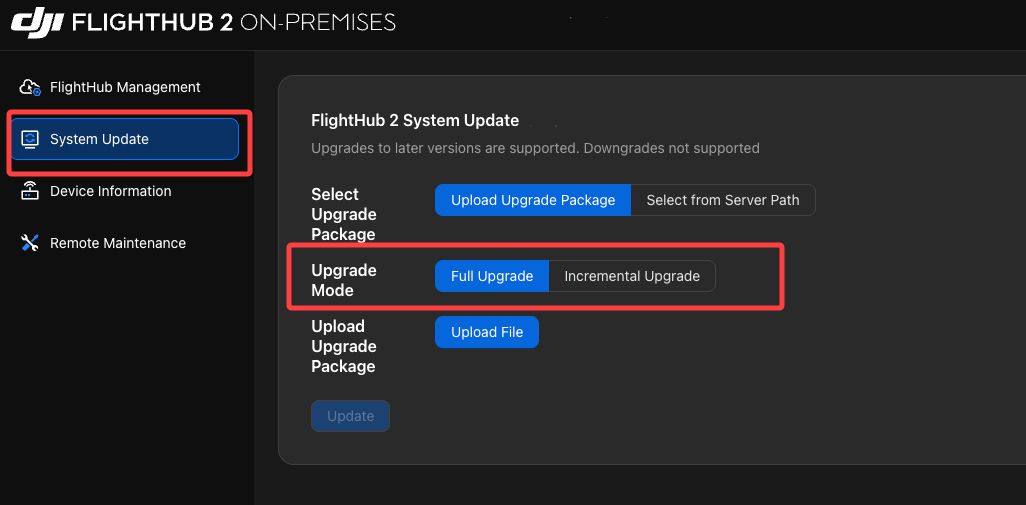
2. Select an Upgrade Mode
1) Full Upgrade
Applicable scenarios:
- Upgrading across multiple versions.
- Example of upgrading across versions: From V1.5.x to V1.7.0. These version numbers are used only to illustrate the upgrade method.
- All services must be updated, so the upgrade takes longer.
Example installation package:
XXX-v1.7.0-full.tar.gz
2) Incremental Upgrade
Applicable scenarios:
- Upgrading between adjacent versions.
- Example of upgrading between adjacent versions: From V1.6.x to V1.7.0. These version numbers are used only to illustrate the upgrade method.
- Only changed services are upgraded, so the upgrade takes less time and the package is smaller.
Restrictions:
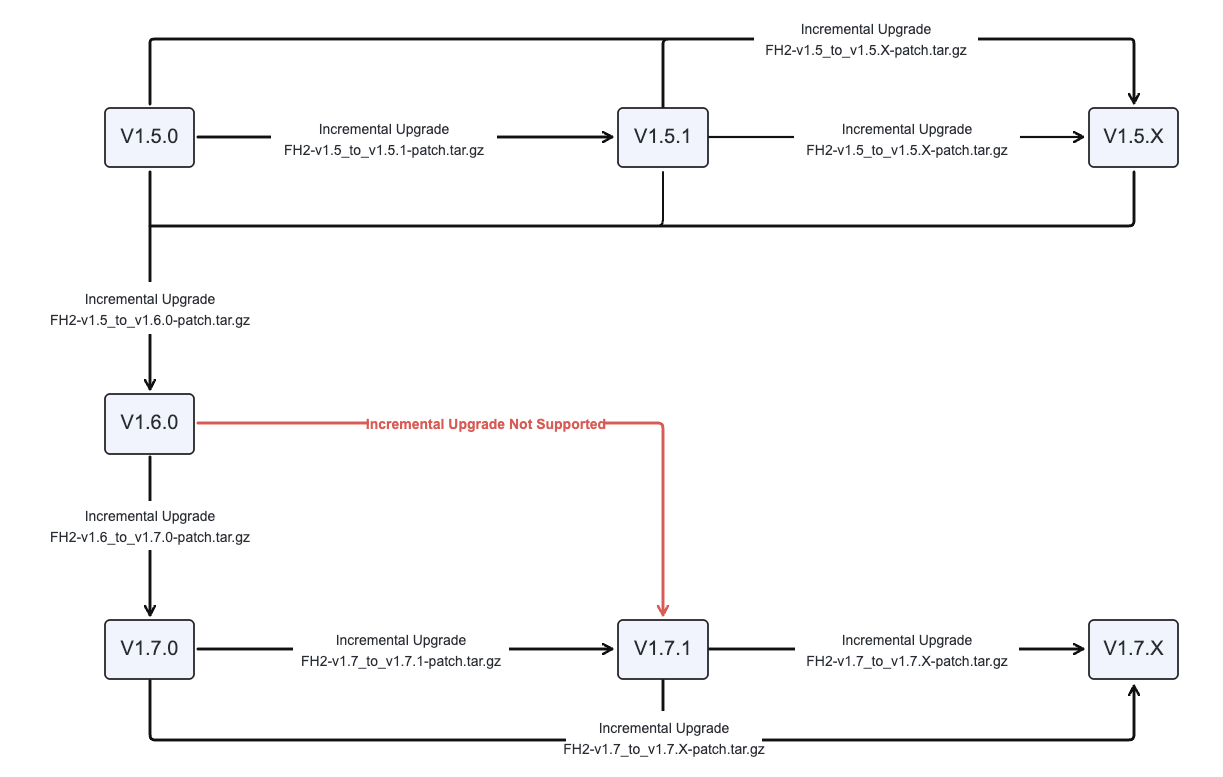
- Incremental upgrades are supported only between adjacent versions.
- Example: V1.6.x can be incrementally upgraded to V1.7.0.
- Example: V1.5.x cannot be incrementally upgraded directly to V1.7.0.
The upgrade restrictions are shown below (the following version numbers are examples only):
3. Recommended Upgrade Path
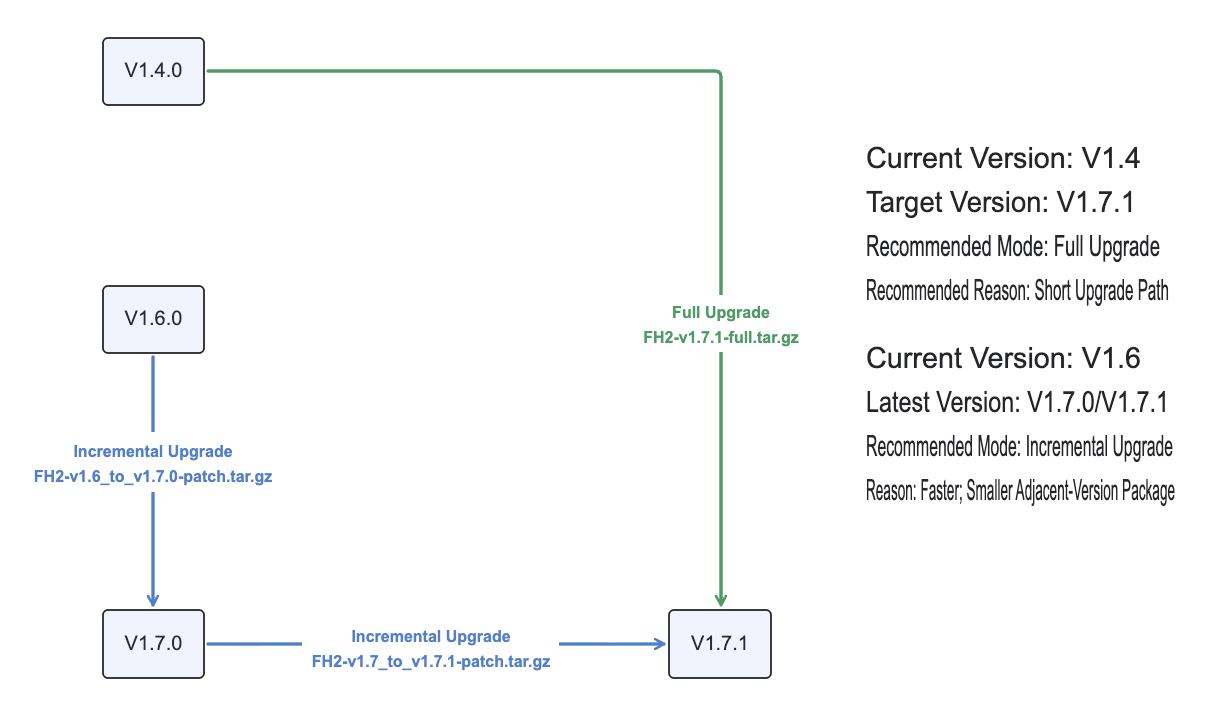
Example installation package:
XXX-v1.6_to_v1.7.0-patch.tar.gz