
Replacing a License
Admin Console Procedure (Recommended)
Go to “License Management” in the Admin Console, then select and replace the corresponding License.
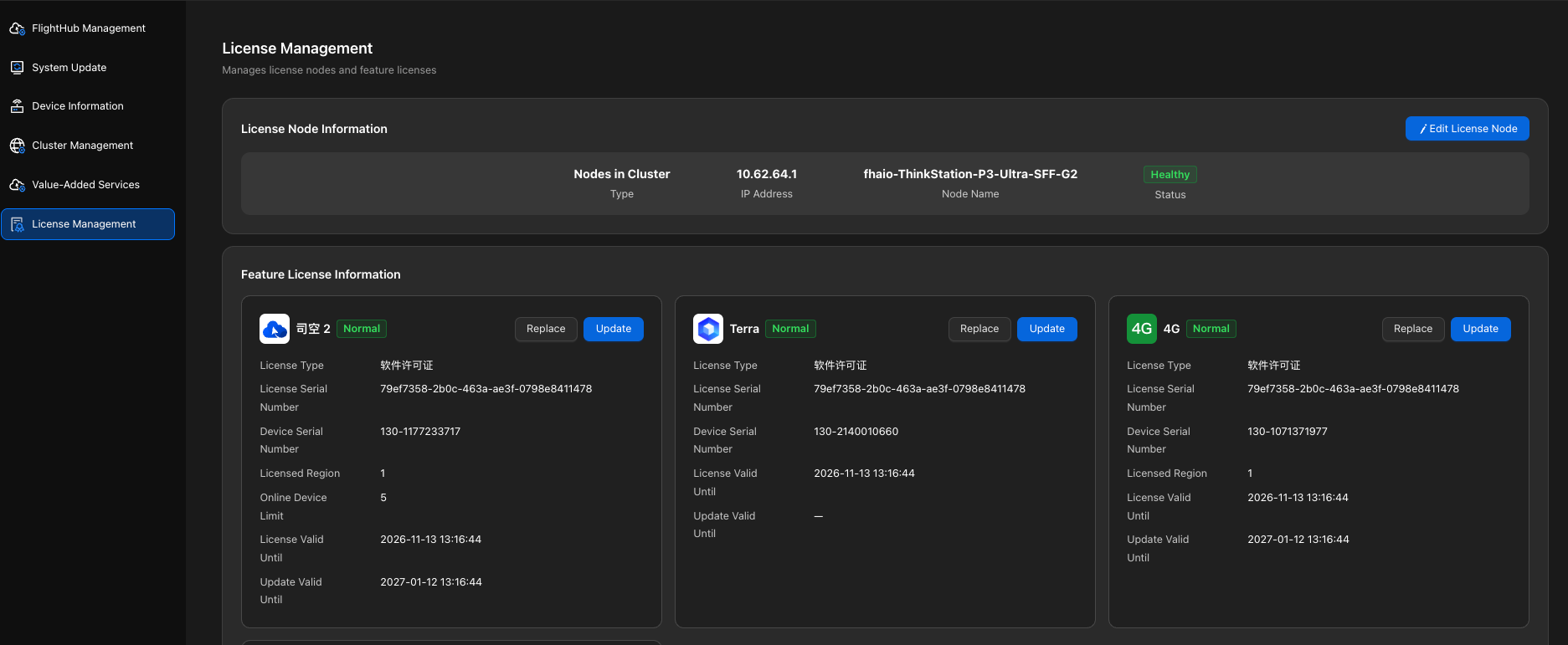
Usage restriction: After replacement, the original License cannot be used again. Verify the target License before proceeding.
Command-Line Procedure
Query the License.
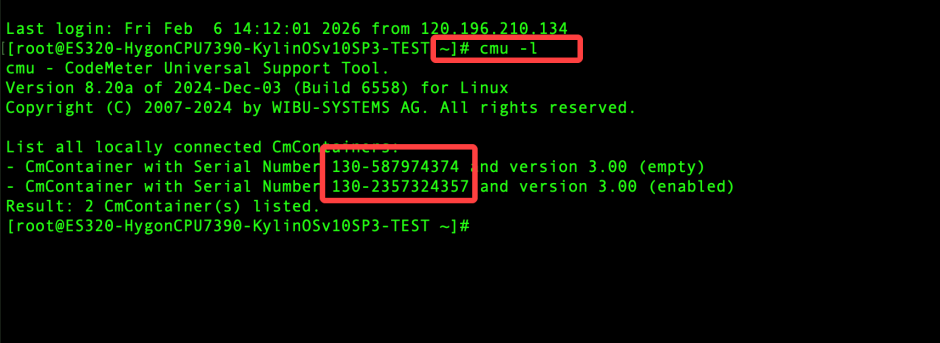
View the License information and verify the serial number of the License to be replaced.
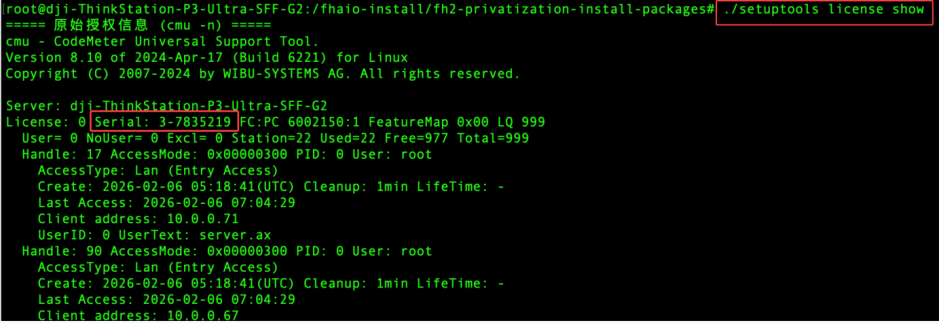
After verifying the target License, run the following command to delete it. Once deleted, the same License cannot be installed again. Check the serial number carefully.
cmu --del -s ${证书序列号}Download the new License from “History” in the Developer Console.
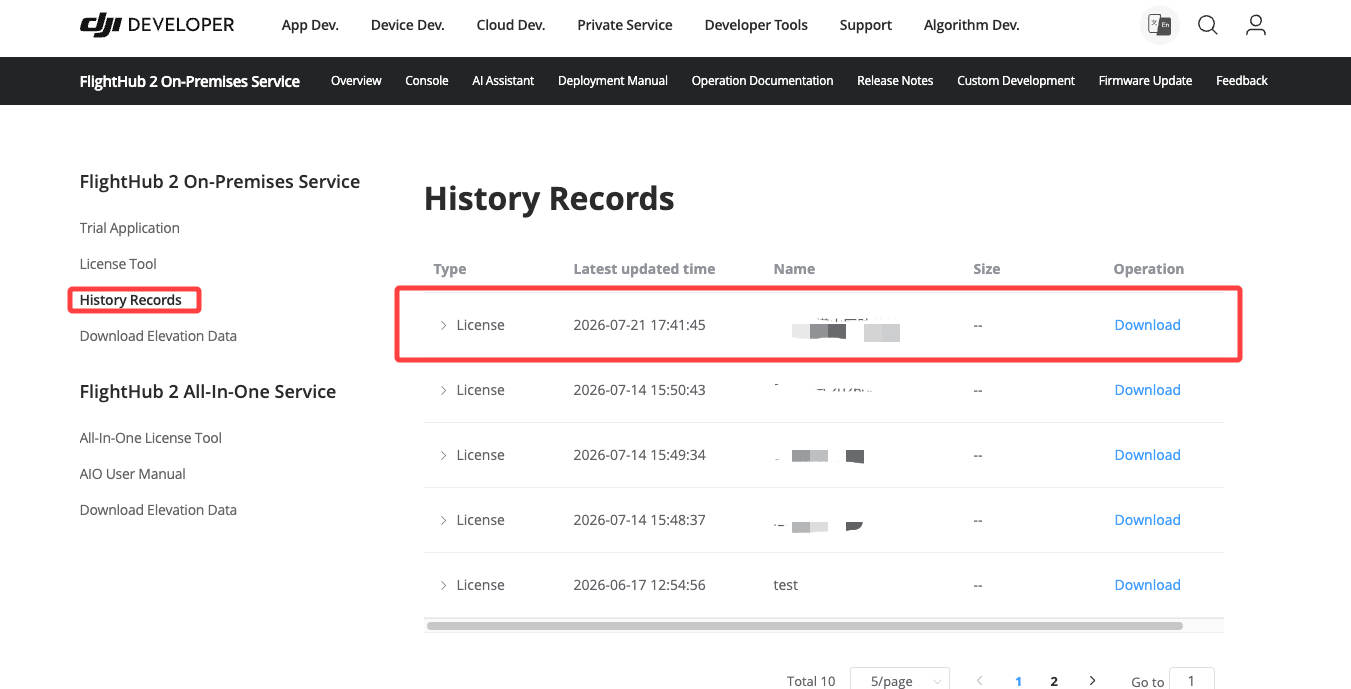
Run the following command in the root directory of the installation package for DJI FlightHub 2, 4G, or Terra, replacing
${许可证 license.tar.gz 路径}with the actual License path../InstallLicense.sh ${许可证 license.tar.gz 路径}