
FlightHub On-Premises Configuration
Adding Configuration
After deploying the model, go to "Extended Services" → "Multimodal Large Model" in the Admin Console and enter the Model Service Address, Model Name, and API Key.
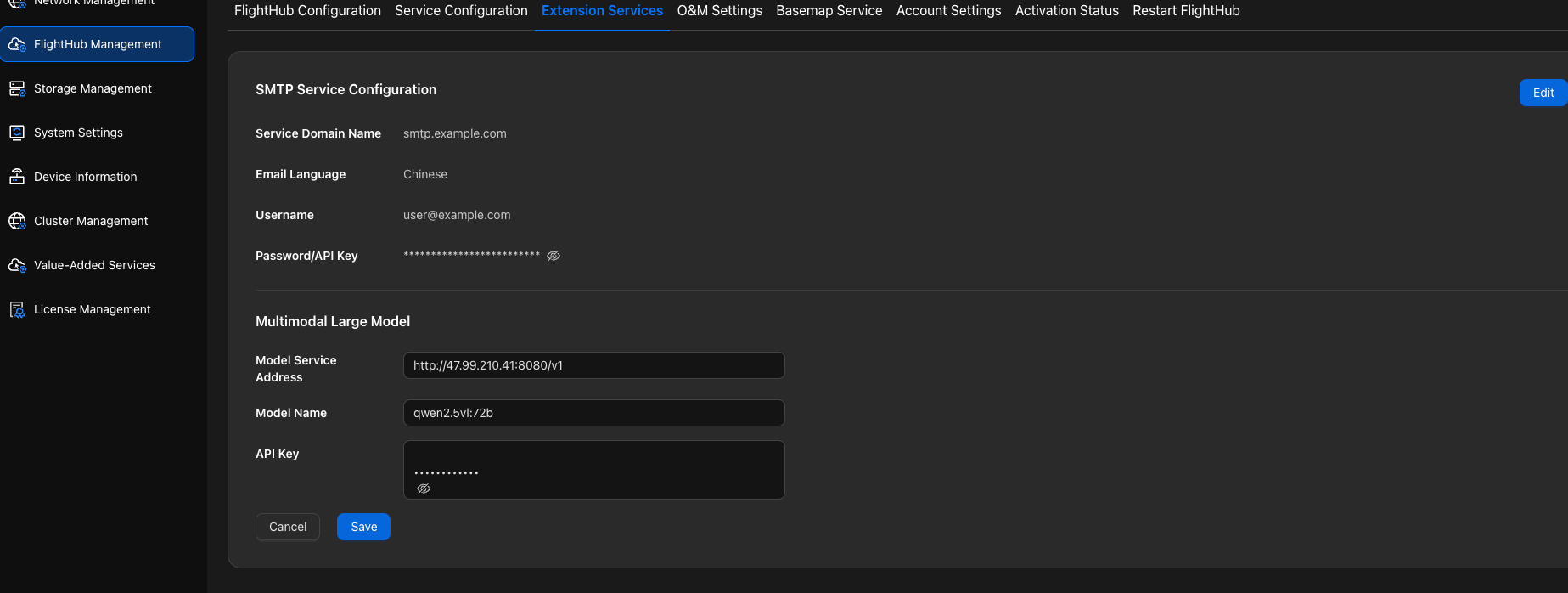
Configuration Instructions
| Configuration Item | Description |
|---|---|
| Model Service Address | Use the format http://<IP>:<端口>/v1. The address must end with /v1. |
| Model Name | Enter the name of the deployed model, such as Qwen/Qwen3-VL-32B-Instruct. |
| API Key | Enter the API Key used to authenticate access to the vLLM service. |
Obtaining the Model Service Address (LLM_BASE_URL)
On the server where the model is deployed, go to the model deployment directory and perform the following operations:
- View the server IP:
hostname -I | awk '{print $1}'
- View the service port (default
8000):
grep VLLM_PORT .env
For example, if the server IP is 192.168.1.100 and the port is 8000, the model service address is http://192.168.1.100:8000/v1. In the configuration example below, LLM_BASE_URL corresponds to "Model Service Address" in the Admin Console:
LLM_BASE_URL: "http://192.168.1.100:8000/v1"