
Components Overview
Custom UI Components let your plugin App remotely render UI such as buttons, text, switches, and lists onto the Pilot interface—as if a piece of plugin UI grows inside Pilot. Components are presented in a floating box (FLOATING_BOX) overlaid on the Pilot interface to support the plugin's business interactions.
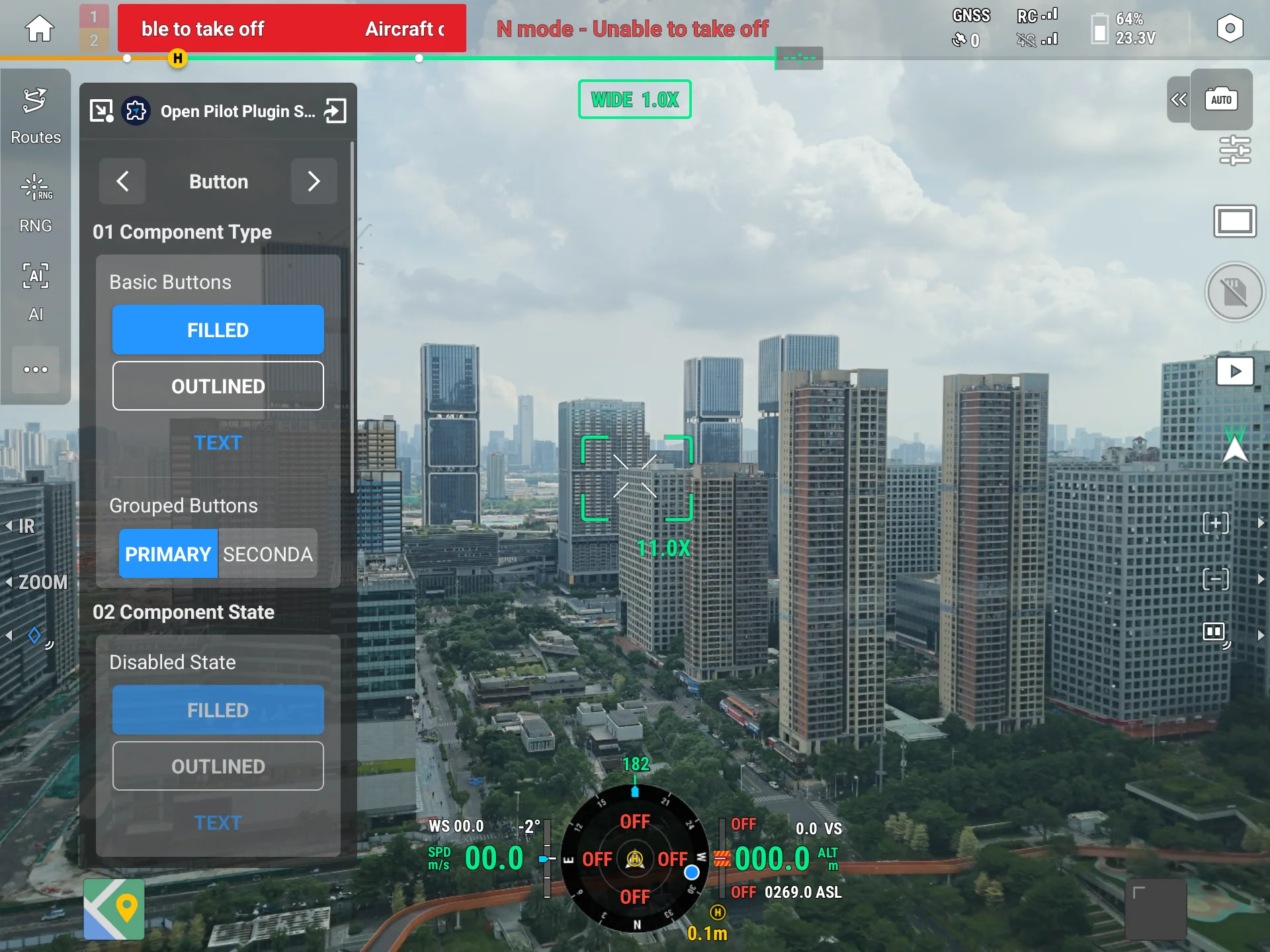
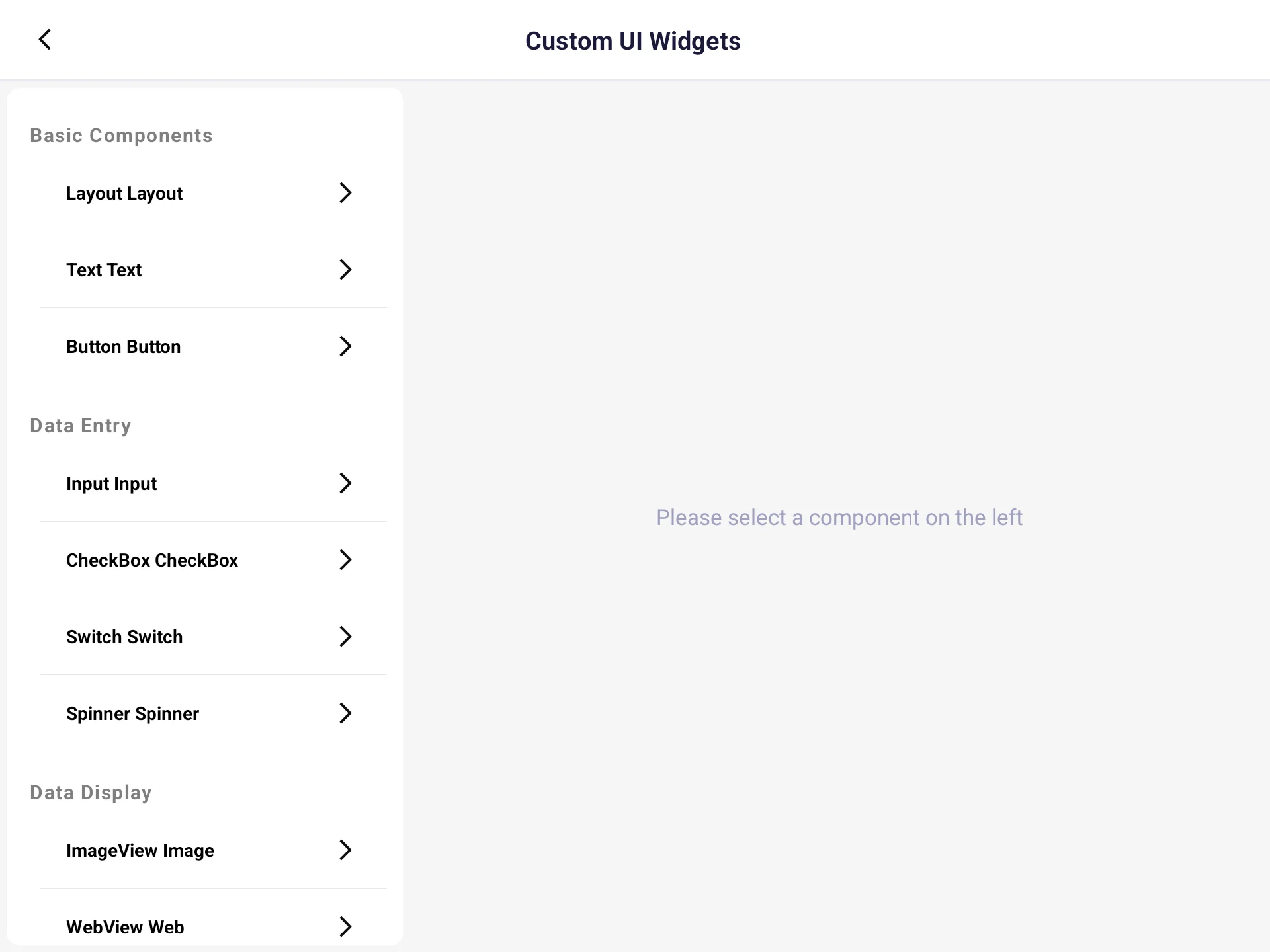
IRemoteViewPageManager is the server-side custom layout manager exposed by Pilot: since the plugin and Pilot run in two separate processes, it passes instructions such as "create view, add constraints, update properties" across processes via AIDL, and Pilot instantiates and renders them on its side. Together with it, the SDK provides a set of ready-to-use component wrappers in uxsdk (RemoteButton, RemoteText, RemoteSwitch, etc.) and a unified entry RemoteViewHelper. This chapter introduces how to build a custom UI on Pilot with these components.
1. Quick Start (3 steps)
// ① Get the floating box Helper (singleton)
val helper = RemoteViewHelper.floatingBoxHelper
helper.clearLayout()                       // Clear old layout
helper.setPageLayoutParamWrapContent()     // Floating box height wraps content

// ② Create a root container and mount it to the page root node
val root = helper.createLinearLayoutVertical().apply {
    setWidth(RemoteView.MATCH_PARENT)
    setHeight(RemoteView.WRAP_CONTENT)
    setPadding(4, 4, 4, 4)
}
root.addToRoot()

// ③ Create a component and add it to the container
val button = helper.createButton().apply {
    setText("Hello Pilot")
    setWidth(RemoteView.MATCH_PARENT)
    setHeight(30)
}
button.setOnClickListener { /* handle click */ }
root.addToRemote(button, helper.margin(4))
Note: AIDL calls do not need to run on the main thread. The official Sample RemoteViewPageDemoViewModel.kt runs drawing on a background thread in
Activity.onCreateto avoid blocking the UI.
2. Component List
helper.createXxx() can create the following components. See each sub-chapter for detailed properties:
| Component | Description |
|---|---|
| Button | Clickable button, supports filled / stroke / text styles |
| Text | Static text, supports size / decoration / alignment |
| Image | Display an image (must be uploaded to Pilot first) |
| WebView | Load a web page |
| EditText | Text input, supports keyboard type / max length |
| Switch | On / off toggle |
| CheckBox | Checked state |
| Spinner | Single-choice dropdown list |
| ProgressBar | Horizontal progress bar |
| CircleProgressBar | Circular progress bar with center text and status |
| ListView | Vertically scrollable list |
| Layout | Linear / constraint layout containers |
3. Common Concepts
Floating Box Size
The floating box uses the page type ViewPageType.FLOATING_BOX, with a fixed width of 140dp and a default height of 200dp. Use setPageLayoutParam to set its height in dp, or helper.setPageLayoutParamWrapContent() to let the height wrap the content.
Component Lifecycle: Create → Mount → Sync
All component wrappers (RemoteXxx) inherit from RemoteViewProvider and follow the same model:
- Create:
helper.createXxx(), which generates a runtime-uniqueidlocally (get viagetId()). - Configure: call
setText/setBackgroundShape, etc.; properties are cached locally inpropertyMap. - Mount:
parent.addToRemote(view, layoutParam)orroot.addToRoot()actually adds the component to Pilot. - Later updates: after changing properties, call
view.syncToRemote()to batch-sync changes to Pilot (internally viaupdateView).
Caution: The view id must be reused.
updateView/setConstraintslocate byid. Do notcreateXxx()again to update, otherwise a new id causesNO_SUCH_VIEW_ID.
Layout Param (WidgetLayoutParam)
The second argument of addToRemote controls how the child is arranged in the parent:
WidgetLayoutParam().apply {
    setMargin(6, 2, 6, 2)   // left, top, right, bottom (dp)
    weight = 1f             // weight in a linear layout
}
You can also use helper.margin(4) to quickly build an even margin on all sides.
Operation Result (OperationResult)
Most methods of IRemoteViewPageManager return OperationResult synchronously — always check it. See each sub-chapter's "Tips" and the table below:
| Enum | Meaning | Suggested handling |
|---|---|---|
SUCCESS | Success | — |
NO_SUCH_VIEW_ID | View ID does not exist | Confirm the id comes from a mounted component |
NO_SUCH_PARENT_VIEW_ID | Parent container ID does not exist | Confirm the parent was mounted first |
SERVICE_NOT_FOUND | Service disconnected | Retry after Pilot connection is ready |
INVALID_PROPERTY | Illegal property / value | Check the property and value format |
REMOTE_VIEWS_LIMIT_EXCEEDED | Page view cache reached limit | clearLayout(viewPageType) to fully clear then rebuild |
4. Performance Tip
When switching between panels frequently, do not repeatedly clearLayout + redraw. Instead, draw all content containers once and switch by only using updateView to change VISIBILITY ("0"=VISIBLE / "8"=GONE). This avoids flicker and reduces IPC calls.
Caution: Repeated clear-and-redraw causes UI flicker and amplifies IPC overhead. The efficient approach is "draw once, show/hide on demand," switching panels by controlling
VISIBILITY(see the official Sample RemoteViewPageDemoViewModel.kt).