
Camera View Drawing
1. Feature Overview
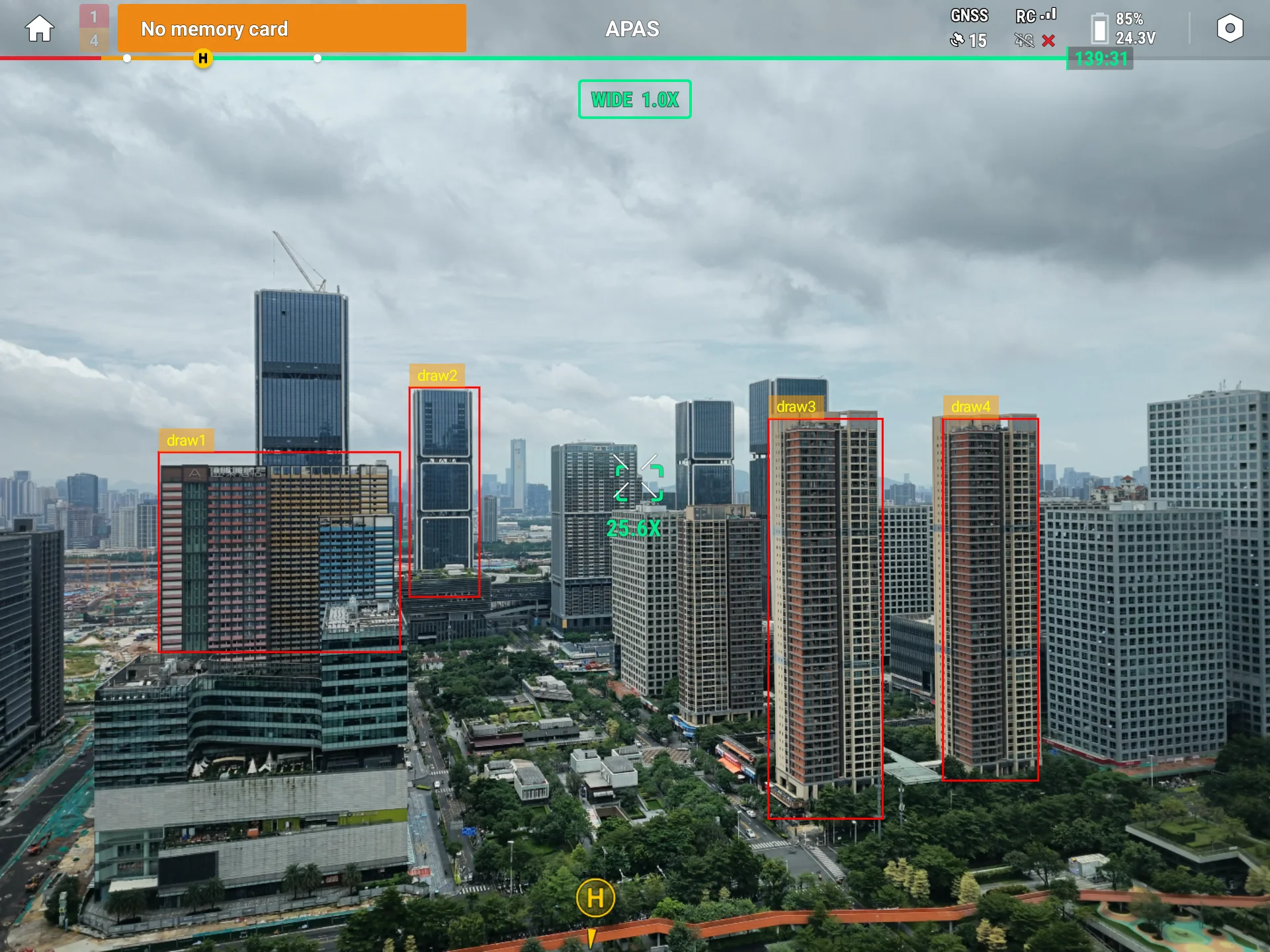
Camera view drawing overlays boxes, areas, and text onto Pilot's video feed in real time. Unlike AR projection, it positions elements with normalized coordinates (0–1 percentages of the frame's width and height), independent of real-world latitude/longitude, making it ideal for drawing algorithm-detected target boxes and regions of interest back onto the video feed. Each shape type is refreshed by "passing a new list to replace everything, or an empty list to clear."
1.1 Capability Overview
| Drawing Capability | Description |
|---|---|
| Draw boxes | Overlay rectangles and labels on the frame, commonly for target framing |
| Draw areas | Overlay filled polygon areas on the frame |
| Draw text | Overlay multi-line text at a given anchor on the frame |
1.2 Use Cases
- Object detection: draw algorithm-detected targets as rectangles + labels on the frame
- Zone alerts: outline regions of interest / danger areas on the frame
- Info overlay: overlay status text in a corner of the frame (coordinates, counts)
2. Interface Call Examples
The examples below assume you have completed SDK initialization and the plugin is connected to Pilot (for connection state, see the Plugin Connection State documentation). All interfaces are called through the manager singleton CameraViewDrawingManager.getInstance().
All three drawing types share the same call pattern: each call passes a full list that replaces that shape type on the frame; an empty list clears it. All coordinates are normalized—rectangles use center-point percentages, polygons / text use 0–1 points.
2.1 Draw Boxes (updateDrawingBoxInfo)
val drawingManager = CameraViewDrawingManager.getInstance()     // get the manager singleton

val box = DrawingBoxInfo().apply {
    rect = OpenDoubleRect(0.5, 0.5, 0.2, 0.3)                   // center (0.5,0.5), width 0.2 height 0.3 (frame percentages)
    label = "Target"                                            // label text on the box
    color = 0xFFFF0000.toInt()                                  // box line color (red)
    labelColor = 0xFFFFFFFF.toInt()                             // label text color (white)
}

drawingManager.updateDrawingBoxInfo(listOf(box), object : CommonCallbacks.CompletionCallback {
    override fun onSuccess() { /* boxes on the frame updated */ }
    override fun onFailure(error: IDJIError) { /* error.errorCode() */ }
})

// Clear all boxes: pass an empty list
drawingManager.updateDrawingBoxInfo(emptyList(), callback)
Preview:
2.2 Draw Areas (updateDrawingPolygonInfo)
A polygon needs at least 3 vertices to be drawn and is closed automatically. Vertices use normalized OpenPoint (x, y both 0–1):
val polygon = DrawingPolygonInfo().apply {
    points = listOf(                                            // at least 3 points, auto-closed
        OpenPoint(0.3, 0.3),
        OpenPoint(0.7, 0.3),
        OpenPoint(0.5, 0.7)
    )
    fillColor = 0x3300FF00.toInt()                             // translucent green fill
    strokeWidth = 2f                                           // outline width (0 means no outline)
    strokeColor = 0xFF00FF00.toInt()                          // outline color
    label = "Zone A"
}

drawingManager.updateDrawingPolygonInfo(listOf(polygon), object : CommonCallbacks.CompletionCallback {
    override fun onSuccess() { /* areas updated */ }
    override fun onFailure(error: IDJIError) { /* error.errorCode() */ }
})

// Clear all areas: pass an empty list
drawingManager.updateDrawingPolygonInfo(emptyList(), callback)
2.3 Draw Text (updateDrawingTextInfo)
Text is positioned by a normalized anchor and supports \n for line breaks:
val text = DrawingTextInfo().apply {
    anchor = OpenPoint(0.05, 0.05)                            // normalized anchor (near the top-left corner)
    this.text = "Lat: 22.58\nLng: 113.94"                     // supports multi-line with \n
    textSize = 14f                                            // font size (sp)
    textColor = 0xFFFFFFFF.toInt()                           // text color (white)
    backgroundColor = 0x80000000.toInt()                     // background (translucent black; alpha=0 means no background)
    horizontalAlignment = DrawingTextInfo.ALIGN_LEFT         // horizontal alignment: LEFT / CENTER / RIGHT
}

drawingManager.updateDrawingTextInfo(listOf(text), object : CommonCallbacks.CompletionCallback {
    override fun onSuccess() { /* text updated */ }
    override fun onFailure(error: IDJIError) { /* error.errorCode() */ }
})

// Clear all text: pass an empty list
drawingManager.updateDrawingTextInfo(emptyList(), callback)
Values for horizontalAlignment:
| Constant | Value | Effect |
|---|---|---|
ALIGN_LEFT | 0 | Left-aligned (default) |
ALIGN_CENTER | 1 | Center-aligned |
ALIGN_RIGHT | 2 | Right-aligned |
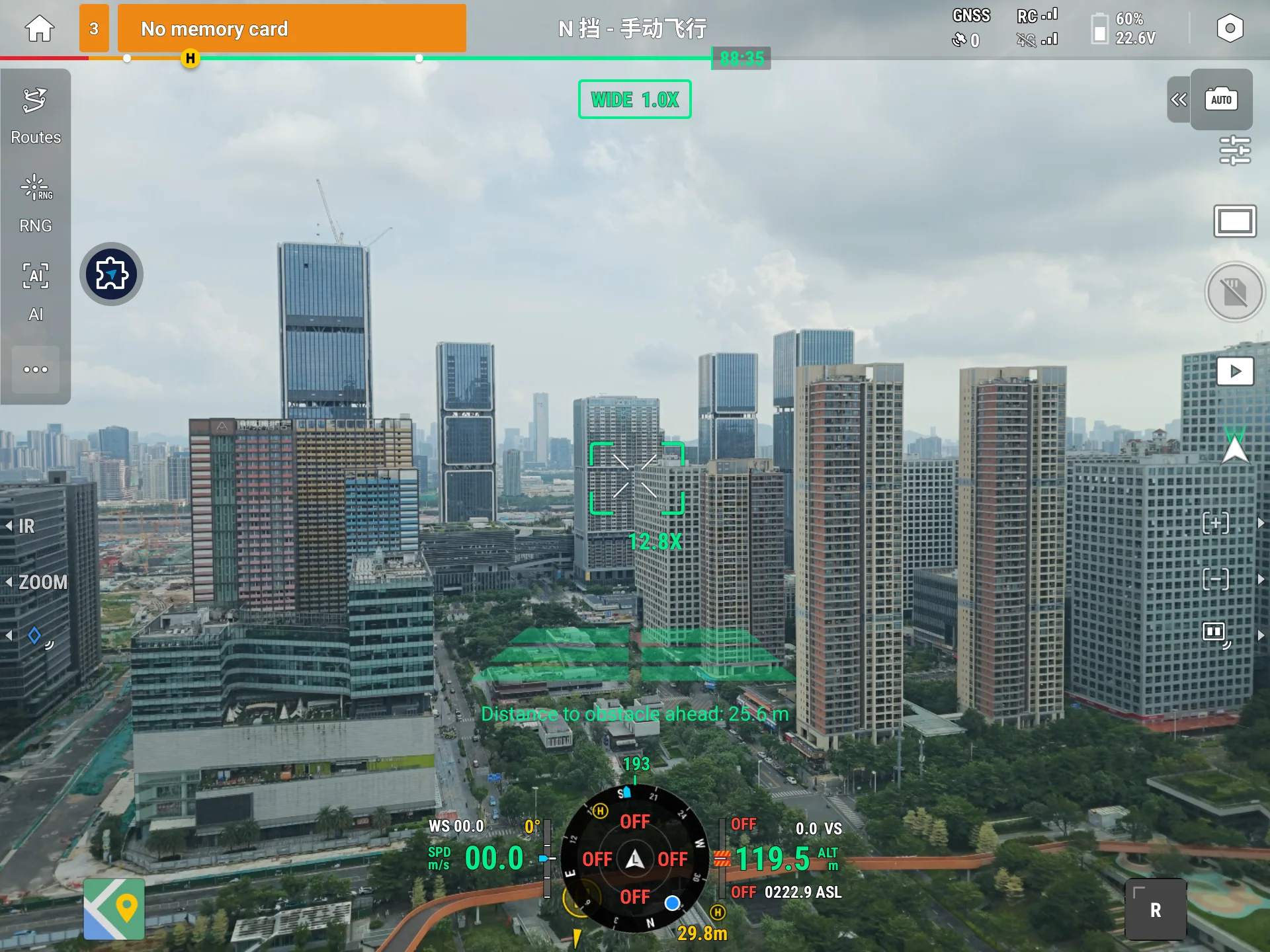
Preview:
3. API Reference
For the full definitions of these interface methods (including parameter data models), see the API documentation: ICameraViewDrawingManager.
ICameraViewDrawingManager is the entry point of the camera view drawing interface, exposing the following methods:
| Item | Description |
|---|---|
ICameraViewDrawingManager | Entry point of the camera view drawing interface |
updateDrawingBoxInfo | Update boxes (pass an empty list to clear) |
updateDrawingPolygonInfo | Update areas (pass an empty list to clear) |
updateDrawingTextInfo | Update text (pass an empty list to clear) |
4. Sample Source Code
5. FAQ
Q1: How do I clear shapes already drawn on the frame?
Pass an empty list to the corresponding method to clear that shape type. The three types are independent: updateDrawingBoxInfo(emptyList()) clears only boxes, leaving areas and text intact.
Q2: Should coordinates be pixels or percentages?
All are normalized coordinates: the rectangle's OpenDoubleRect uses frame percentages (center x, y and width, height all 0–1); the OpenPoint for polygons and text is also 0–1. This way, positions adapt automatically when the frame resolution changes.
Q3: I passed 2 points for a polygon—why is nothing drawn?
A polygon needs at least 3 vertices to be drawn. With fewer than 3 points, no shape is generated. Ensure points contains at least 3 points.
Q4: I set backgroundColor for text but there is no background?
When the alpha channel of backgroundColor is 0 (e.g., 0x00000000), no background is drawn. For a background, use an opaque or translucent value (e.g., 0x80000000).
Appendix: Error Code Quick Reference
| Error code constant | Trigger | Suggested handling |
|---|---|---|
REMOTE_DISCONNECTED | Called before the connection is ready | Retry after the connection state is CONNECTED |