
Dialog
1. Feature Overview
Dialogs let the plugin pop up standard-style dialogs on the Pilot UI, delegating alert, confirm, input, single-choice, and multi-choice interactions to Pilot's unified presentation without the plugin drawing its own UI. The user's result (which button was tapped, what was entered, which items were selected) is returned to the plugin via callbacks. All dialog methods are synchronous calls that synchronously return an OperationResult indicating whether the dialog popped up successfully.
1.1 Capability Overview
| Dialog Type | Description |
|---|---|
| Alert dialog | Show information with a single confirmation |
| Confirm dialog | Show information with confirm / cancel buttons |
| Prompt dialog | Let the user enter text |
| Single-choice dialog | Let the user pick one of several options |
| Multi-choice dialog | Let the user pick several of many options |
1.2 Use Cases
- Operation confirmation: pop a confirm dialog before a high-risk action for a second confirmation
- Parameter entry: pop a prompt dialog for the user to enter text such as a route name
- Option selection: pop single- / multi-choice dialogs for the user to choose a work mode or layers
2. Interface Call Examples
The examples below assume you have completed SDK initialization and the plugin is connected to Pilot (for connection state, see the Plugin Connection State documentation). All interfaces are called through the manager singleton RemoteDialogManager.getInstance().
The dialog content is described by DialogConfig (Builder pattern), and the user's result is returned via listeners registered on the config. All five dialog methods synchronously return an OperationResult, which tells you whether it popped up (e.g., DIALOG_ALREADY_EXISTS when a dialog already exists).
2.1 Alert and Confirm Dialogs (showAlertDialog / showConfirmDialog)
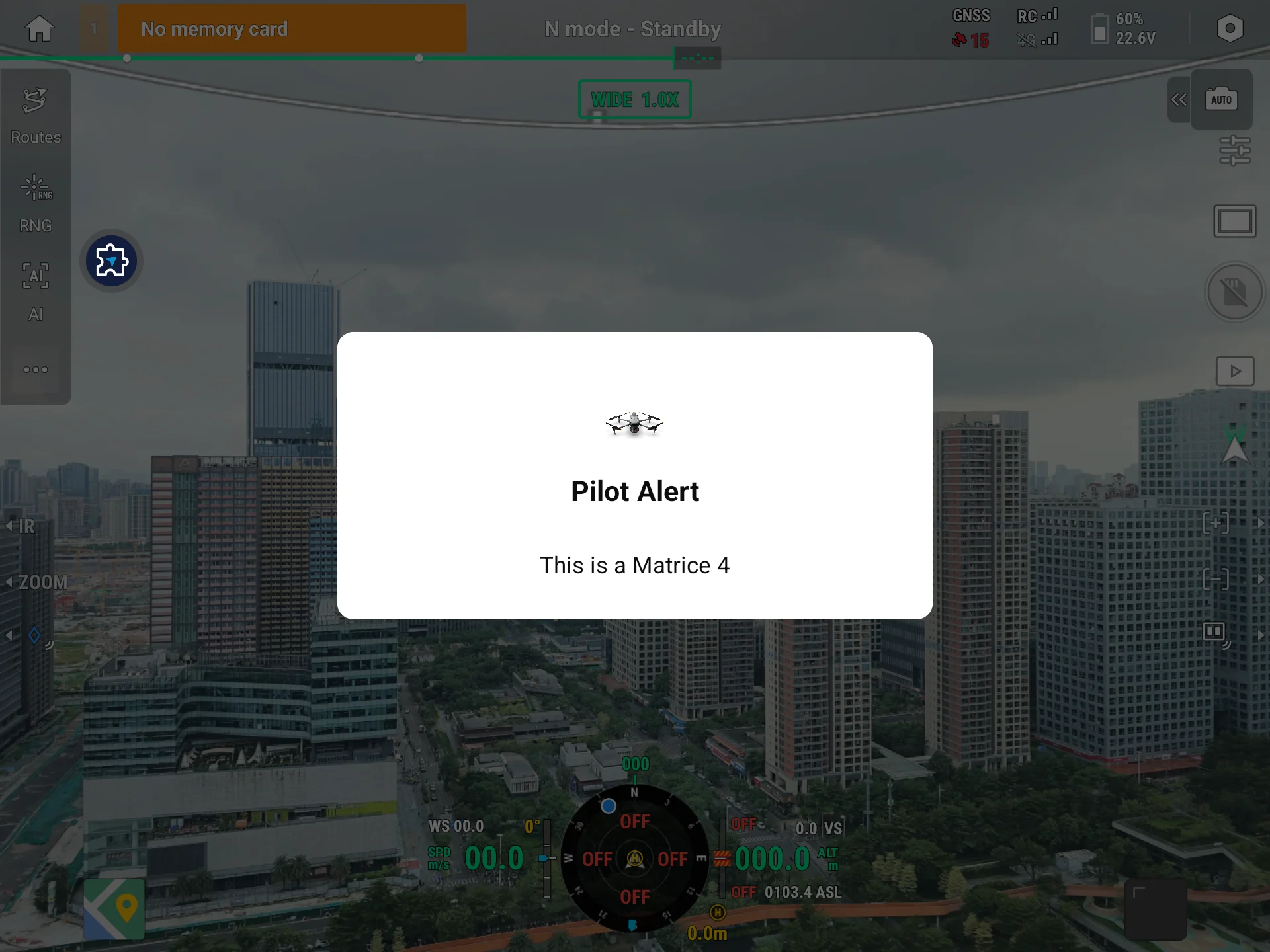
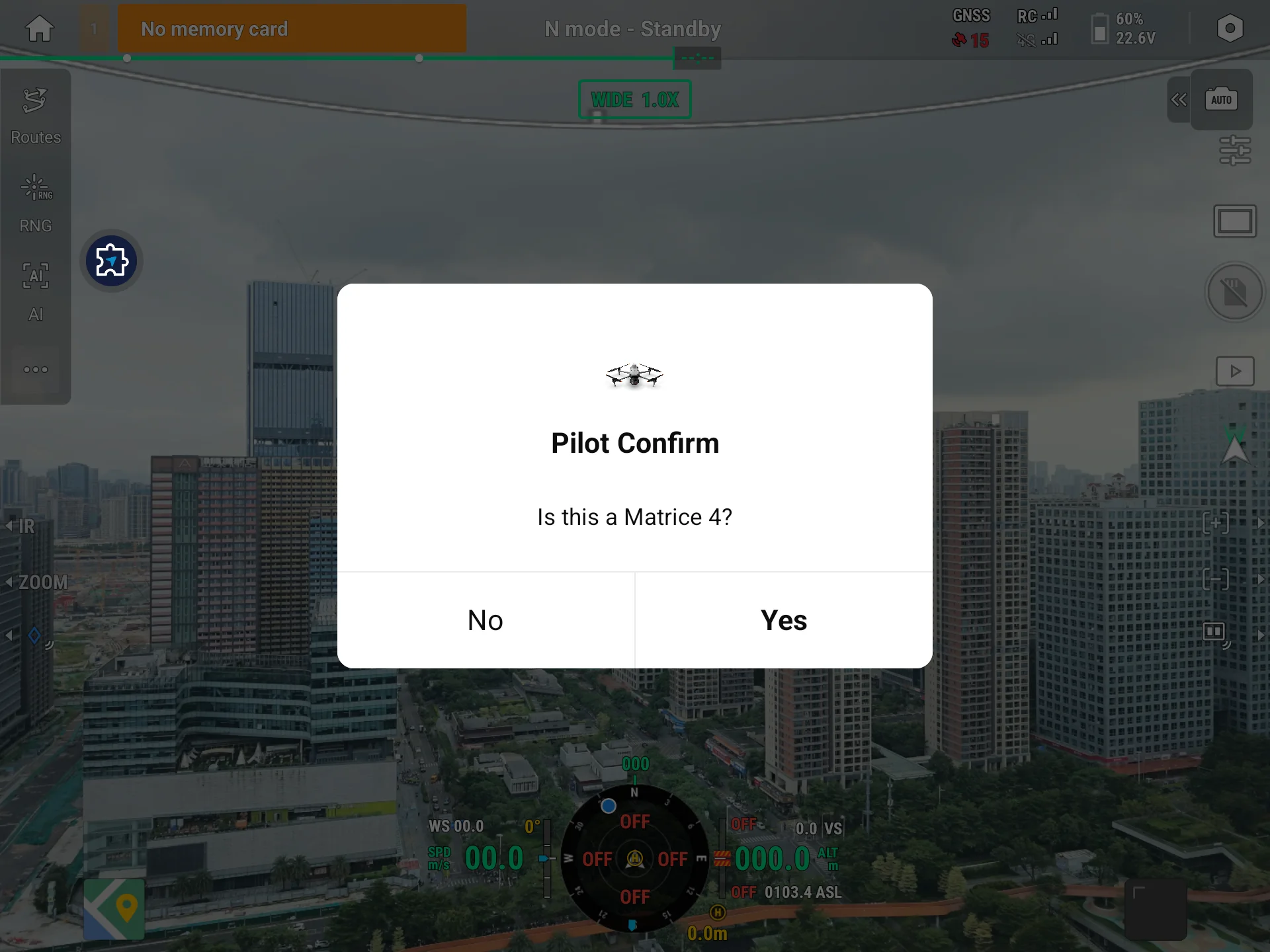
An alert dialog needs only a title and message; a confirm dialog additionally configures two buttons and their click callbacks:
val dialogManager = RemoteDialogManager.getInstance()           // get the manager singleton

// Alert dialog: show information only
val alertConfig = DialogConfig.Builder()
    .setTitle("Upload complete")
    .setMessage("The resource was uploaded to Pilot successfully")
    .setOnDismiss { /* dialog dismissed */ }
    .build()
val result = dialogManager.showAlertDialog(alertConfig)
if (result == OperationResult.DIALOG_ALREADY_EXISTS) { /* a dialog exists; avoid popping again */ }

// Confirm dialog: confirm / cancel buttons
val confirmConfig = DialogConfig.Builder()
    .setTitle("Confirm deletion")
    .setMessage("Deletion cannot be undone. Continue?")
    .setStartButtonText("Cancel")
    .setEndButtonText("Delete")
    .setOnStartButtonClick { /* tapped Cancel */ }
    .setOnEndButtonClick { /* tapped Delete */ }
    .build()
dialogManager.showConfirmDialog(confirmConfig)
Preview:
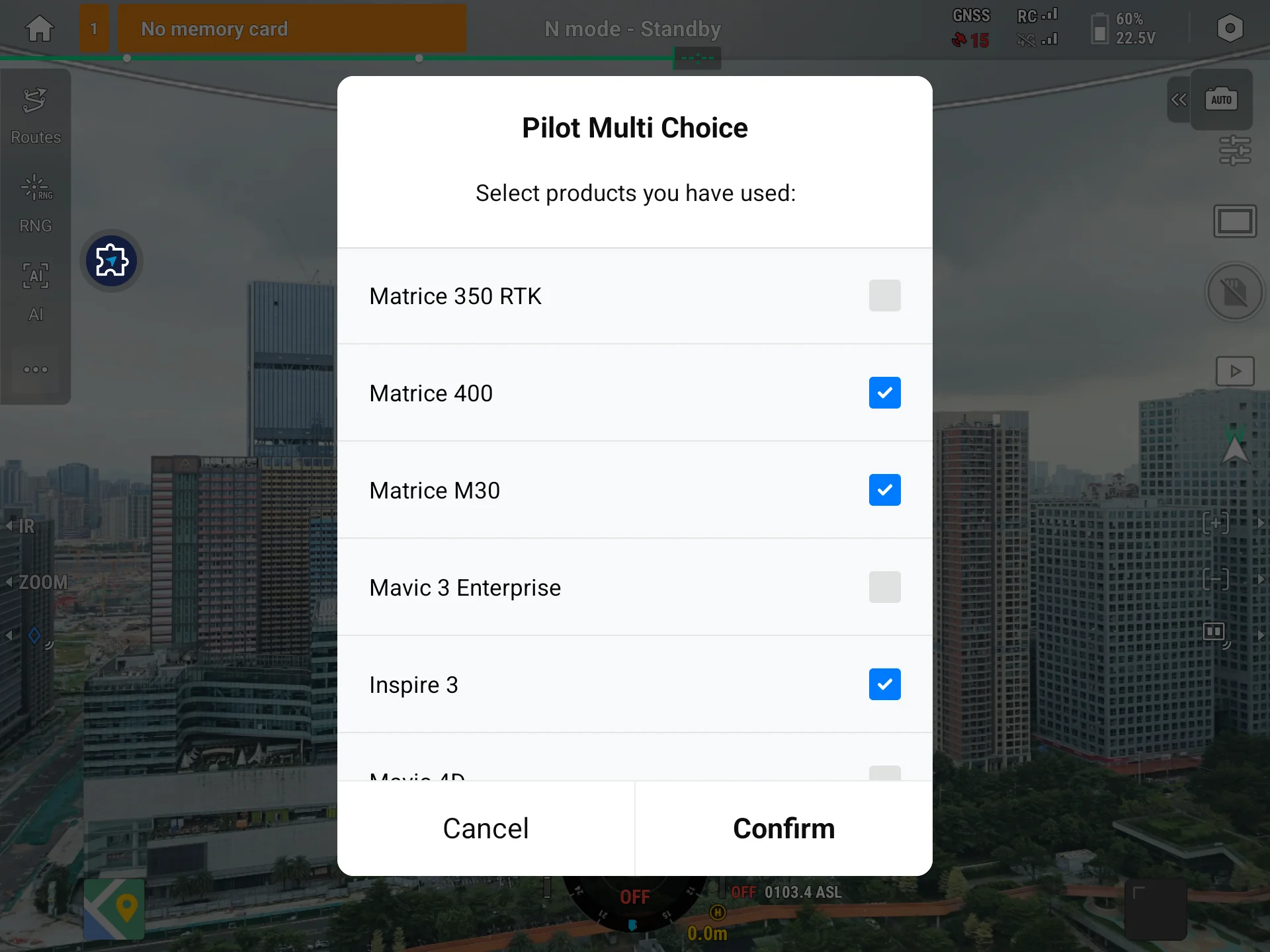
2.2 Prompt / Single-choice / Multi-choice (showPromptDialog / showSingleChoiceDialog / showMultiChoiceDialog)
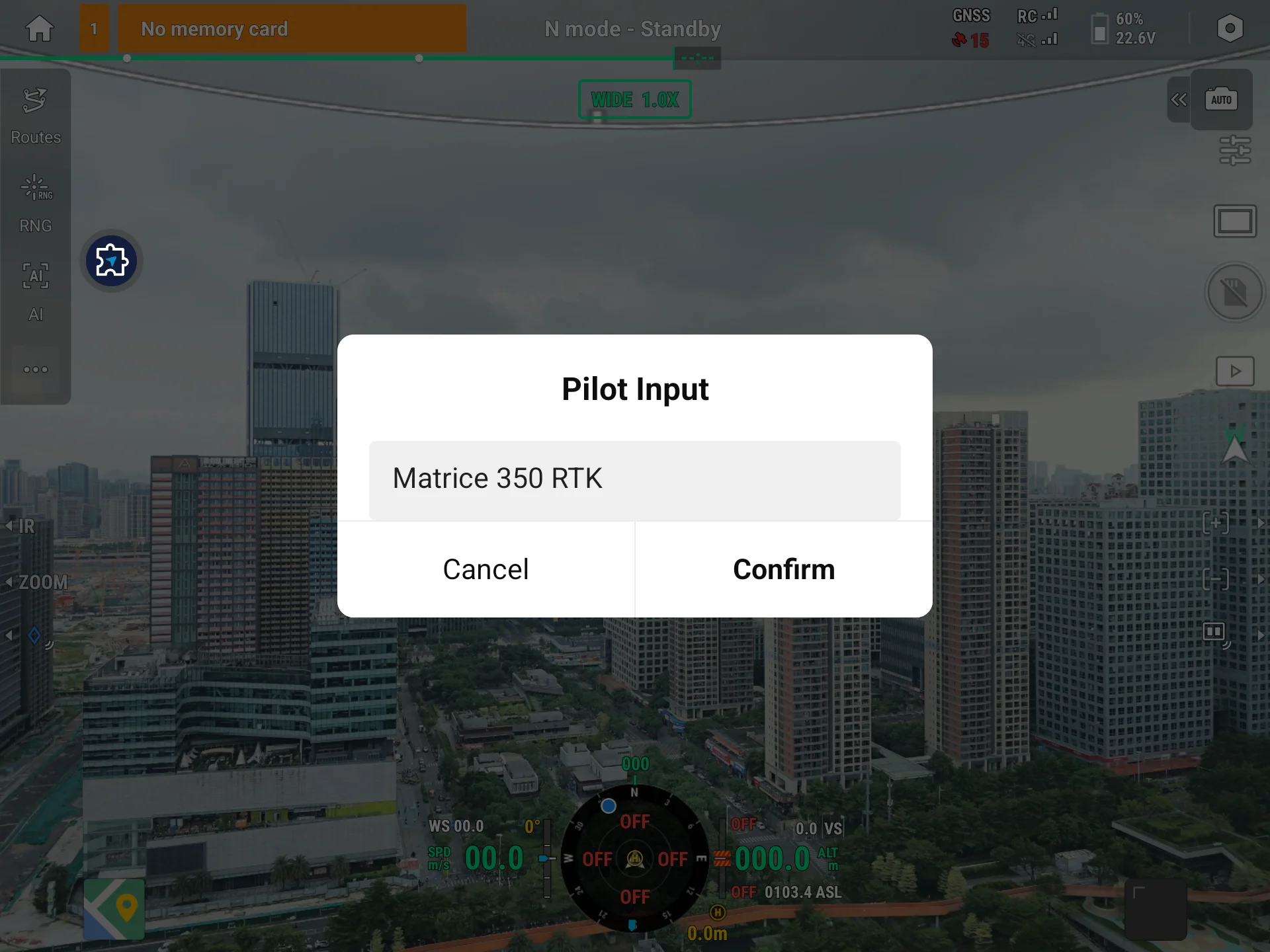
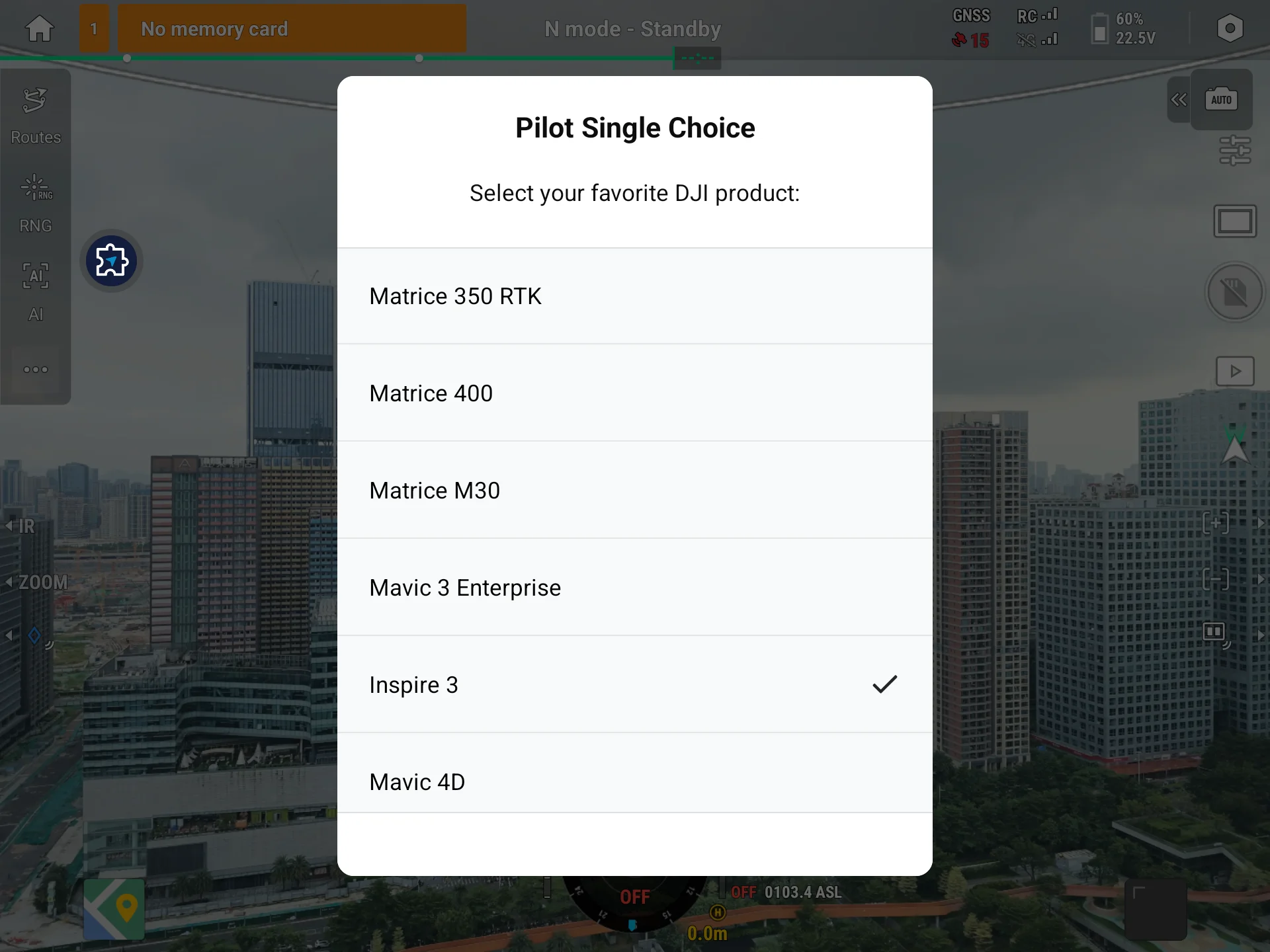
These three describe inputs / options via a list of DialogElementConfig. After the user submits, read the result in the DialogMessage from the setOnMessage callback—buttonType is the tapped button position, inputTexts is the entered text, and selectedIndexes are the selected item indexes:
// Single-choice dialog: provide several options
val singleConfig = DialogConfig.Builder()
    .setTitle("Choose work mode")
    .setElementConfigs(listOf(
        DialogElementConfig().apply { selectionItem = "Inspection" },
        DialogElementConfig().apply { selectionItem = "Surveying" },
        DialogElementConfig().apply { selectionItem = "Monitoring" }
    ))
    .setStartButtonText("Cancel")
    .setEndButtonText("OK")
    .setOnMessage { message ->
        if (message.buttonType == DialogButtonPosition.END) {
            val chosen = message.selectedIndexes                // selected indexes (single-choice has one)
        }
    }
    .build()
dialogManager.showSingleChoiceDialog(singleConfig)
Common variations:
- Prompt dialog: use
showPromptDialog, setinputHint/inputPrefillonDialogElementConfig, and readmessage.inputTextsin the callback. - Multi-choice dialog: use
showMultiChoiceDialog; optionDialogElementConfigcan presetisSelected, and the callback'smessage.selectedIndexesreturns multiple indexes.
Preview:
3. API Reference
For the full definitions of these interface methods (including parameter data models and enums), see the API documentation: IRemoteDialogManager.
IRemoteDialogManager is the entry point of the dialog management interface, exposing the following methods:
| Item | Description |
|---|---|
IRemoteDialogManager | Entry point of the dialog management interface |
showAlertDialog | Show an alert dialog, returns OperationResult |
showConfirmDialog | Show a confirm dialog, returns OperationResult |
showPromptDialog | Show a prompt dialog, returns OperationResult |
showSingleChoiceDialog | Show a single-choice dialog, returns OperationResult |
showMultiChoiceDialog | Show a multi-choice dialog, returns OperationResult |
4. Sample Source Code
5. FAQ
Q1: A dialog method returns DIALOG_ALREADY_EXISTS—what do I do?
A dialog is already showing on Pilot. Dialogs cannot stack, so wait until the current one is dismissed (triggering onDismiss) before popping the next, or check the return value before popping to avoid duplicate calls.
Q2: How do I get the user's input / selection result?
Register a callback with setOnMessage on DialogConfig. After the user submits, it fires with a DialogMessage: buttonType (the tapped button position, START / END / NONE), inputTexts (list of input text), and selectedIndexes (selected indexes for single / multi choice). Read the field that matches the dialog type.
Q3: Returns SERVICE_NOT_FOUND or EXECUTION_FAILED?
SERVICE_NOT_FOUND: the connection is not ready (delegate not injected). Retry after the connection state isCONNECTED.EXECUTION_FAILED: a cross-process call error. Verify theDialogConfigis fully built and retry.
Q4: Why does the dialog interface return OperationResult instead of using an error-code callback?
A dialog is a synchronous command: you immediately know whether it popped up, so the result is an OperationResult enum returned synchronously (e.g., SUCCESS / DIALOG_ALREADY_EXISTS / SERVICE_NOT_FOUND). The user's subsequent interaction result is returned asynchronously via callbacks like onMessage.
Appendix: OperationResult Quick Reference
The values below come from dji.open.pilot.base.ui.model.OperationResult:
| Value | Meaning |
|---|---|
SUCCESS | Popped up successfully |
DIALOG_ALREADY_EXISTS | A dialog is already showing; see Q1 |
SERVICE_NOT_FOUND | Connection not ready; see Q3 |
EXECUTION_FAILED | Cross-process call error; see Q3 |
NOT_SUPPORTED | The current page / scenario does not support this dialog |
DIALOG_NOT_SUPPORTED_ON_CURRENT_PAGE | The current page does not support dialogs |