
Page Navigation
1. Feature Overview
Page navigation lets the plugin control Pilot to jump to a specific page, or jump from Pilot back to the plugin's own page. For example, when a plugin workflow needs the user to confirm a route on Pilot's map page, or to jump from a Pilot overlay back to the plugin's main screen, this capability handles it. The target is described by an enum covering Pilot's home, map, album, waypoint mission list, and the plugin's custom pages.
1.1 Capability Overview
| Capability | Description |
|---|---|
| Page navigation | Control Pilot to jump to a specific page, or jump back to a plugin app page |
1.2 Use Cases
- Guided operation: jump to Pilot's map page during a workflow so the user can confirm a route
- Return to plugin: jump from a Pilot overlay back to one of the plugin's Activities
- View media: jump to Pilot's album page to view media from a specific camera
2. Interface Call Examples
The examples below assume you have completed SDK initialization and the plugin is connected to Pilot (for connection state, see the Plugin Connection State documentation). All interfaces are called through the manager singleton NavigateManager.getInstance().
2.1 Navigate to a Page (navigateToPage)
The target is described by NavigateAction: most pages need only a NavigateAction.Value enum; a few (album, plugin custom page) also pass extra info via the second parameter selfDefineValue.
val navigateManager = NavigateManager.getInstance()             // get the manager singleton

// Example 1: jump to Pilot's map page (enum only)
val toMap = NavigateAction(NavigateAction.Value.PILOT_MAP)
navigateManager.navigateToPage(toMap, object : CommonCallbacks.CompletionCallback {
    override fun onSuccess() { /* navigated */ }
    override fun onFailure(error: IDJIError) { /* error.errorCode() */ }
})

// Example 2: jump back to a plugin custom page (selfDefineValue = target Activity full path)
val toPlugin = NavigateAction(
    NavigateAction.Value.SELF_DEFINE,
    "com.example.plugin.MainActivity"                           // TODO: replace with your Activity's full path
)
navigateManager.navigateToPage(toPlugin, object : CommonCallbacks.CompletionCallback {
    override fun onSuccess() { /* jumped back to the plugin page */ }
    override fun onFailure(error: IDJIError) { /* error.errorCode() */ }
})
Available targets for NavigateAction.Value:
| Enum | Target page | Note |
|---|---|---|
PILOT_HOME | Pilot home | |
PILOT_MAP | Pilot map page | |
PILOT_WAYPOINT_MISSION_LIST | Pilot waypoint mission list | |
PILOT_ALBUM | Pilot album page | selfDefineValue = cameraIndex, default "0" |
PILOT_DEFAULT | Pilot current page | Commonly used for "return to Pilot" |
PLUGIN_APP | Plugin app | Jump to the plugin app |
REMOTE_VIEW_PAGE_ACTIVITY | Plugin custom Activity | Launch and jump to the DJI Pilot Plugin's custom Activity |
SELF_DEFINE | A specified plugin page | selfDefineValue = target Activity full path |
NONE | Empty / undefined |
Note: Only two targets need extra info:
PILOT_ALBUM(camera index) andSELF_DEFINE(Activity full path). For all other enums, use the single-argument constructorNavigateAction(value).
Preview:
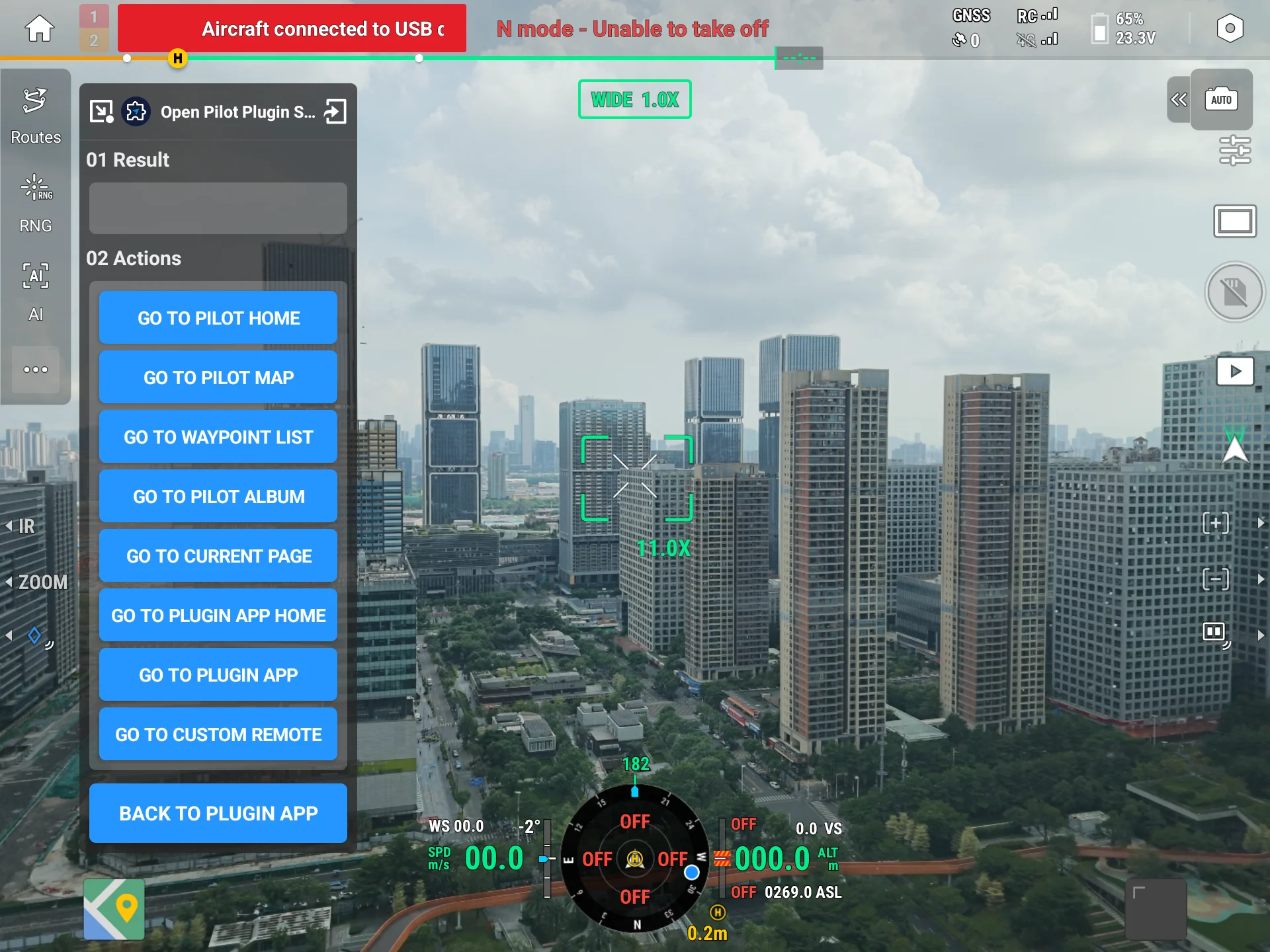
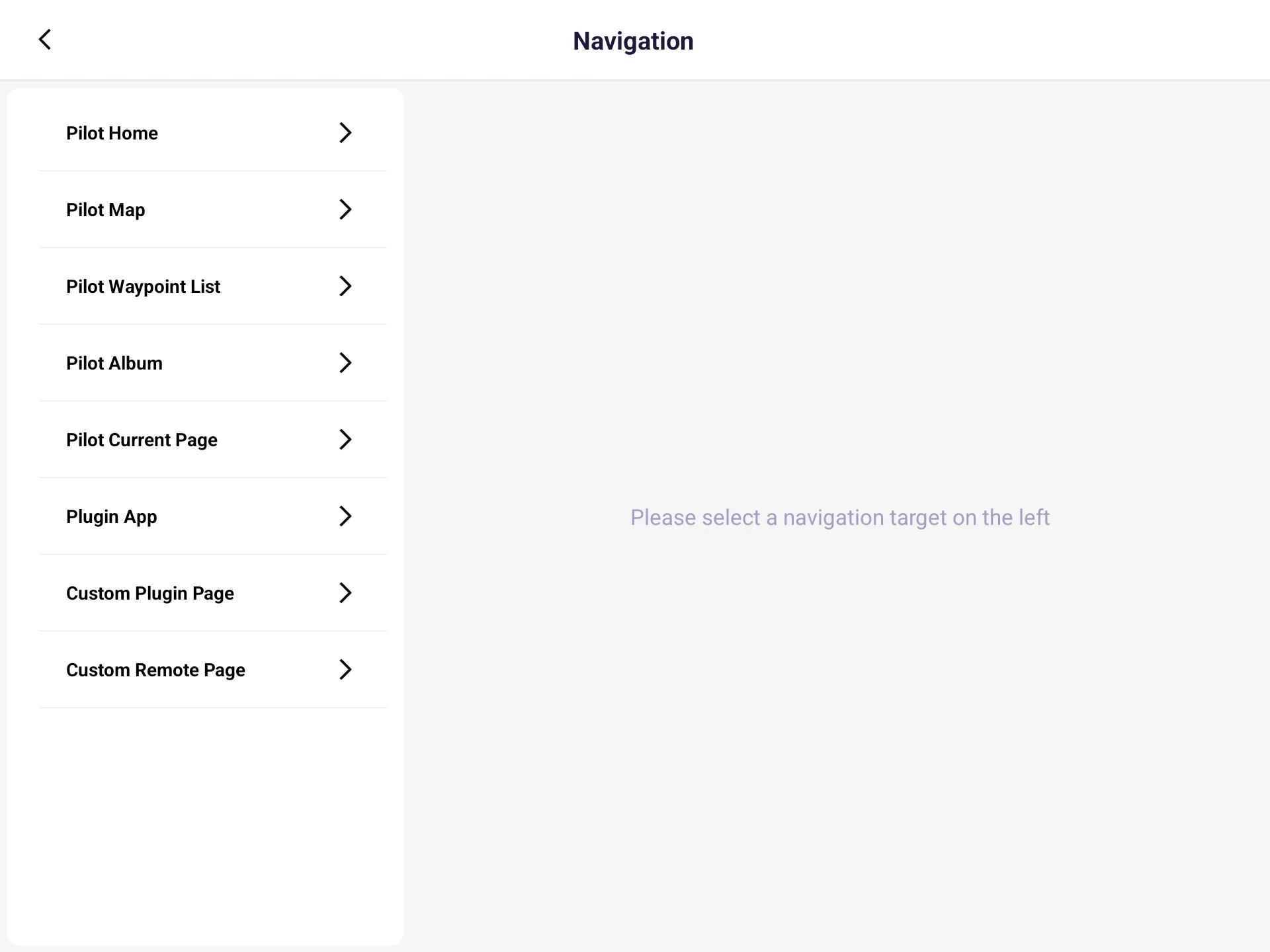
3. API Reference
For the full definitions of these interface methods (including parameter data models and enums), see the API documentation: INavigateManager.
INavigateManager is the entry point of the page navigation interface, exposing the following methods:
| Item | Description |
|---|---|
INavigateManager | Entry point of the page navigation interface |
navigateToPage | Control the server to navigate to a specified page |
4. Sample Source Code
5. FAQ
Q1: When do I need the second parameter selfDefineValue?
Only two targets need it: PILOT_ALBUM takes the camera index (default "0"), and SELF_DEFINE takes the target Activity's full path. For all other enums, use the single-argument constructor NavigateAction(value); selfDefineValue is ignored.
Q2: What is the difference between SELF_DEFINE and REMOTE_VIEW_PAGE_ACTIVITY?
SELF_DEFINE jumps back to a specific Activity in your plugin app (pass its full path); REMOTE_VIEW_PAGE_ACTIVITY launches and jumps to the DJI Pilot Plugin's custom Activity. Choose the enum that matches the page you want to land on.
Q3: navigateToPage returns REMOTE_DISCONNECTED / EXECUTION_FAILED?
REMOTE_DISCONNECTED: called before the connection is ready; retry after the connection state isCONNECTED.EXECUTION_FAILED: an error during the call (e.g., an invalid Activity full path forSELF_DEFINE). Verify the enum andselfDefineValue.
Appendix: Error Code Quick Reference
The error codes below come from dji.open.pilot.base.error.RemoteError:
| Error code constant | Trigger | Suggested handling |
|---|---|---|
REMOTE_DISCONNECTED | Called before the connection is ready | Retry after the connection state is CONNECTED; see Q3 |
EXECUTION_FAILED | An error during the navigation call | Verify the enum and selfDefineValue; see Q3 |